Everygen audit · 05
Redesign
The whole product flow rebuilt three ways on mock data: 40 screens per direction, from sign-up to billing. Every screen names the findings it answers.
Three directions#
Each direction answers the same audit with a different shell. Switch direction on any screen from the dark control in the bottom-right corner (a small dot on the right edge on phones).
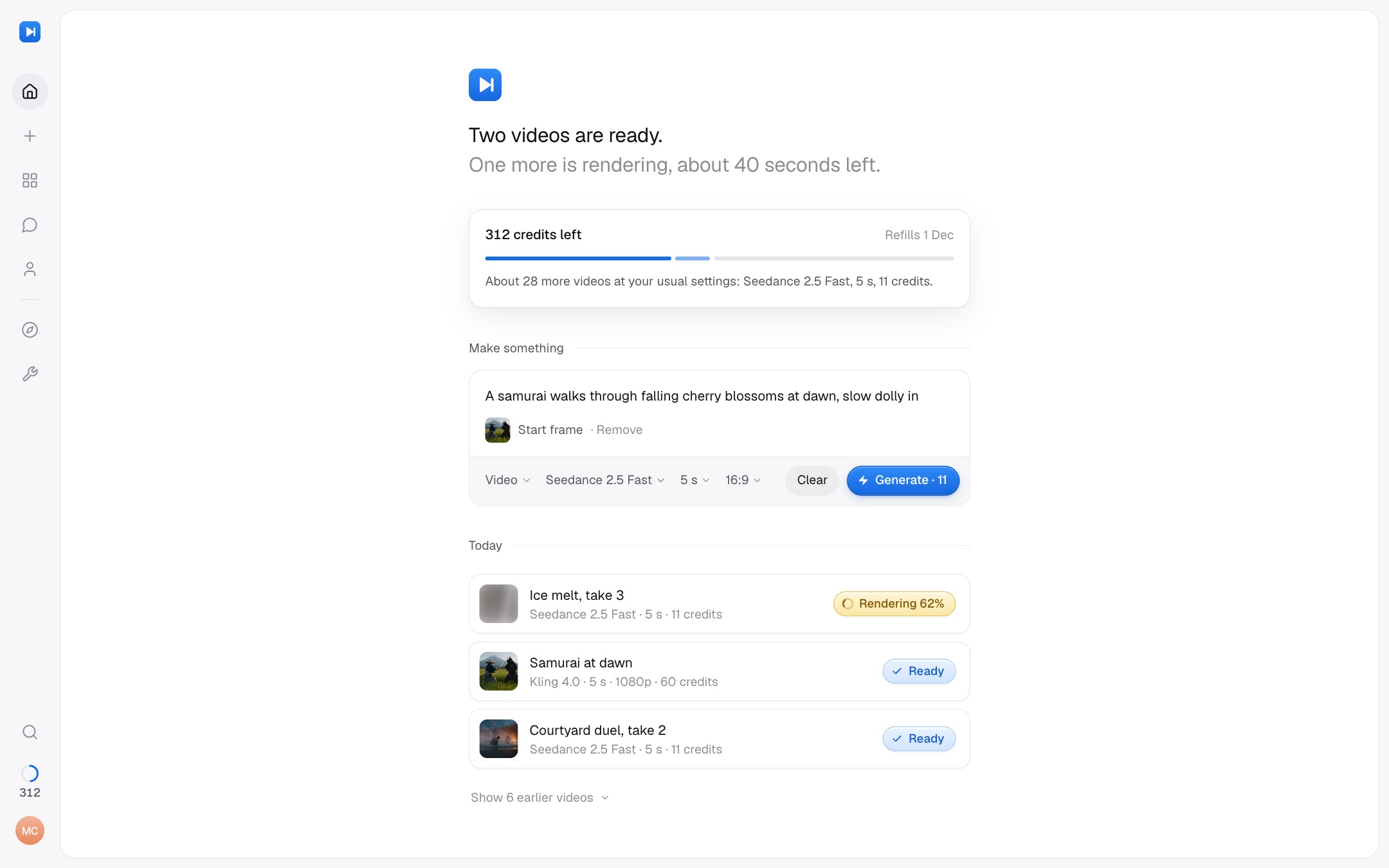
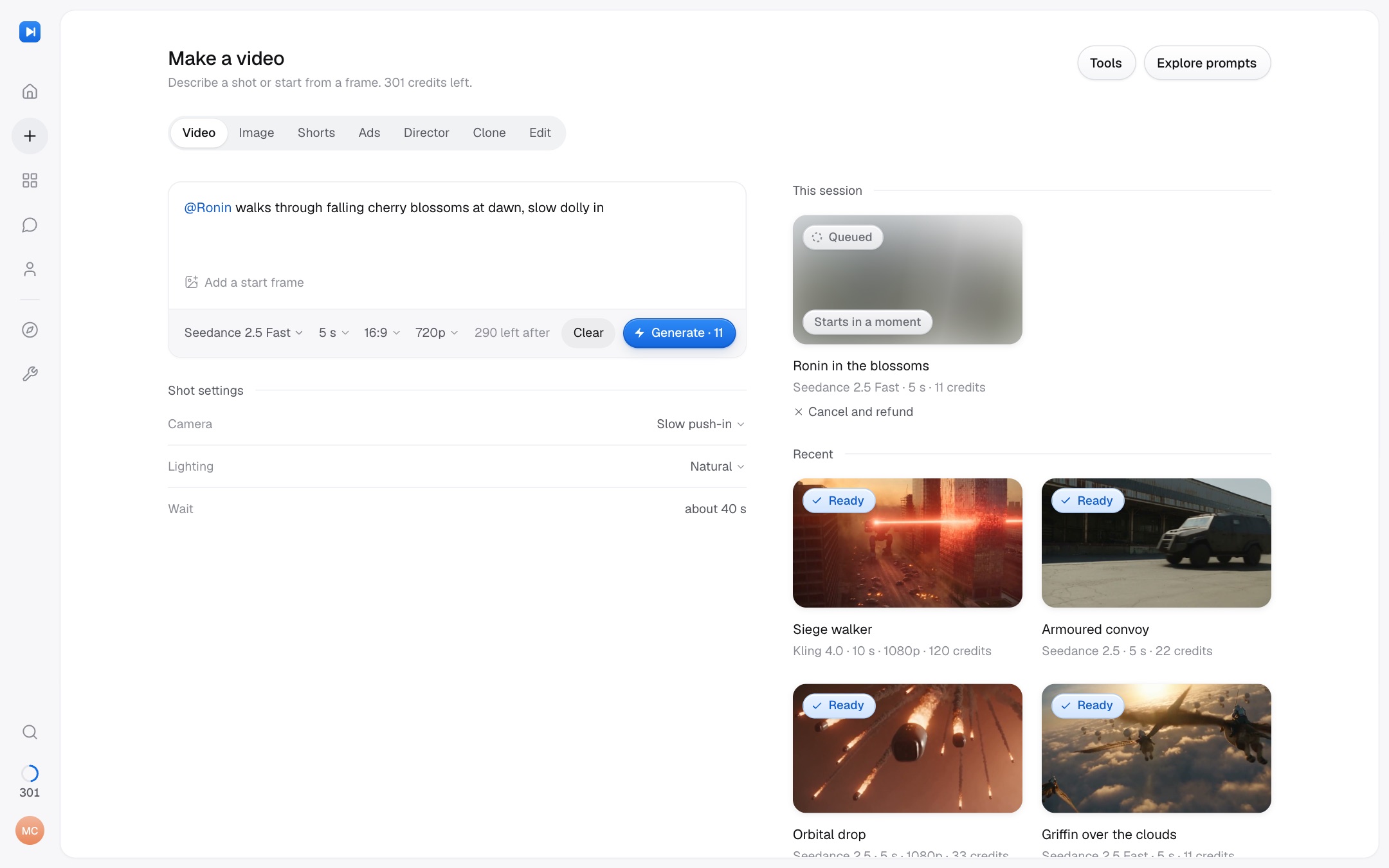
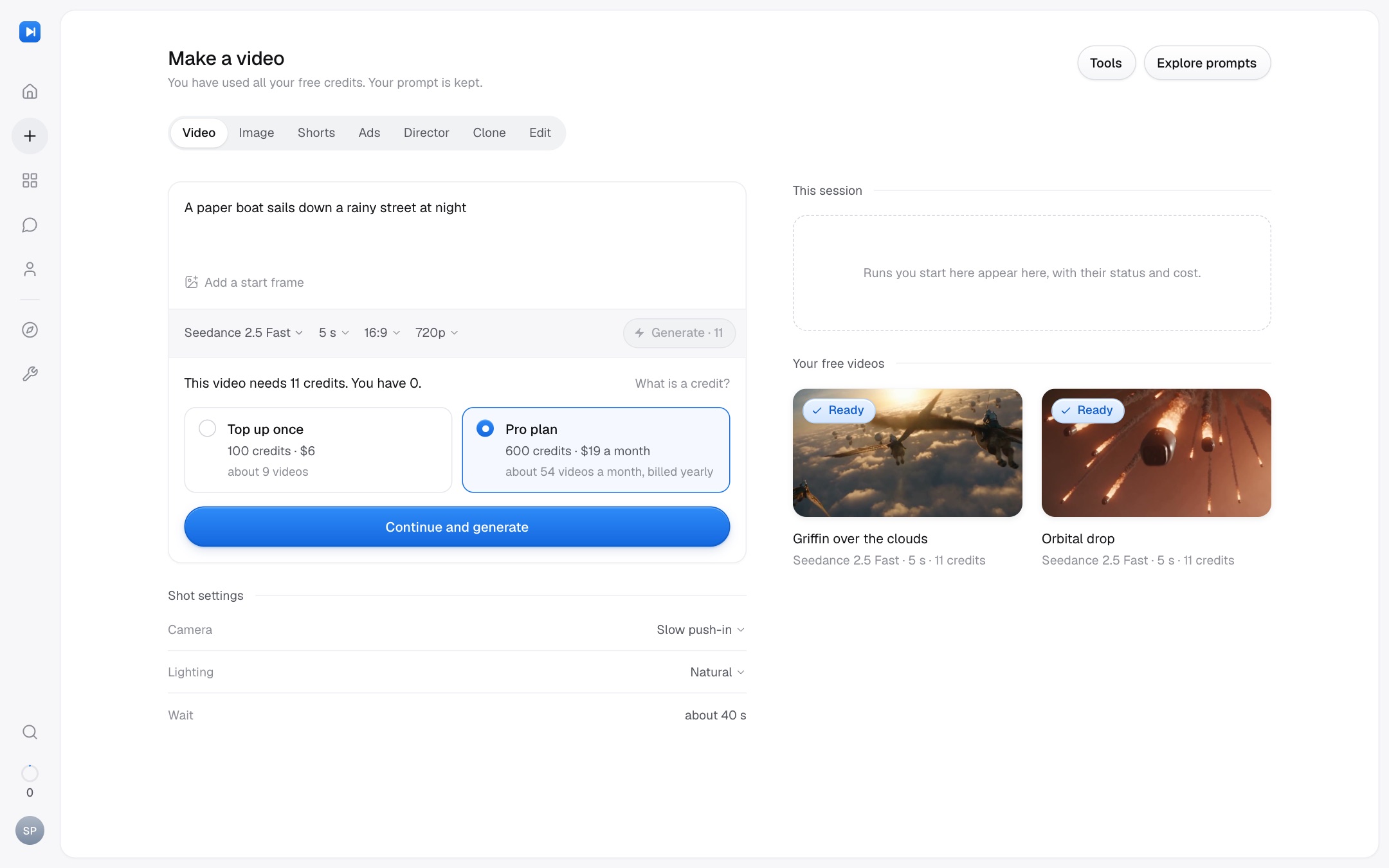
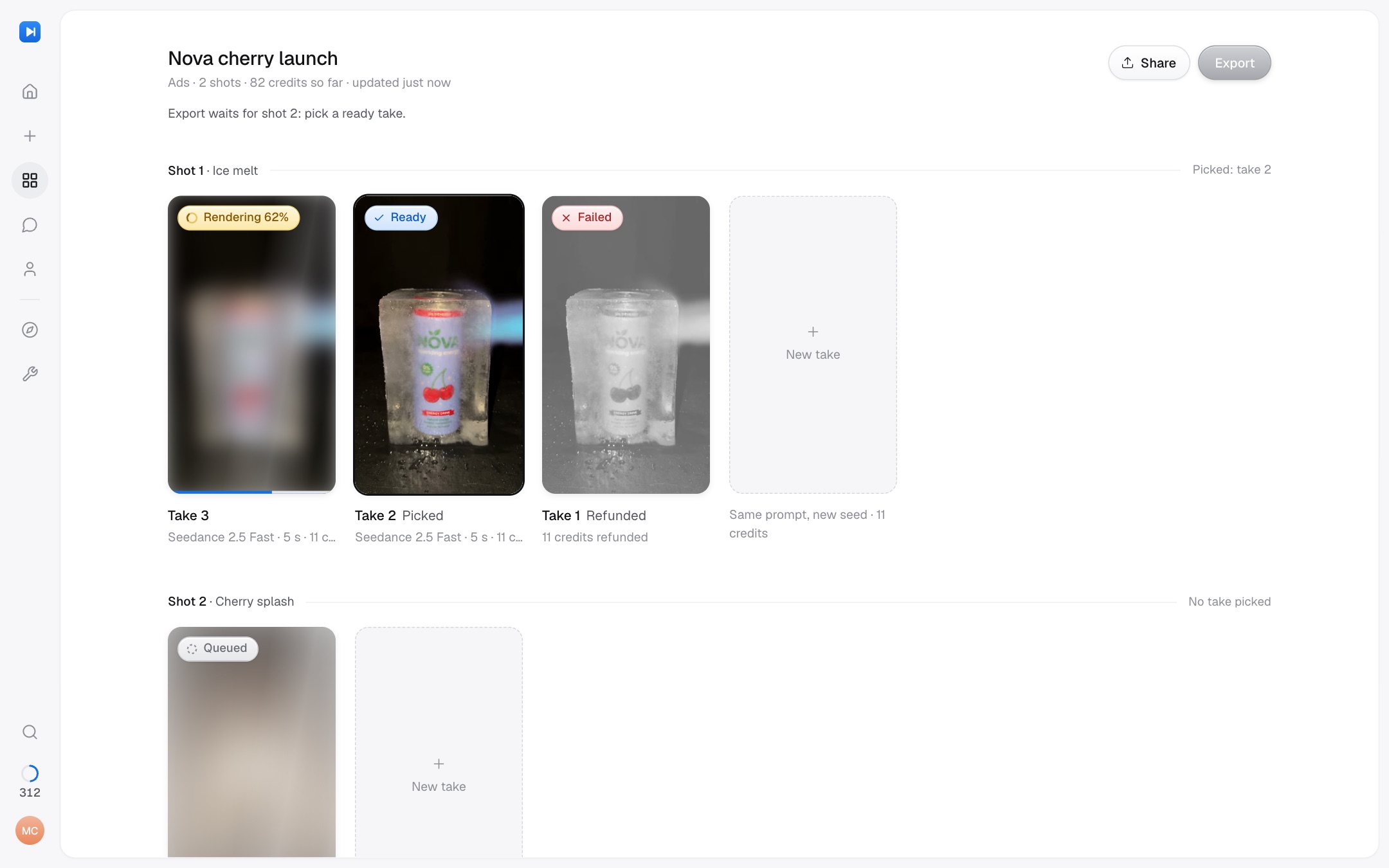
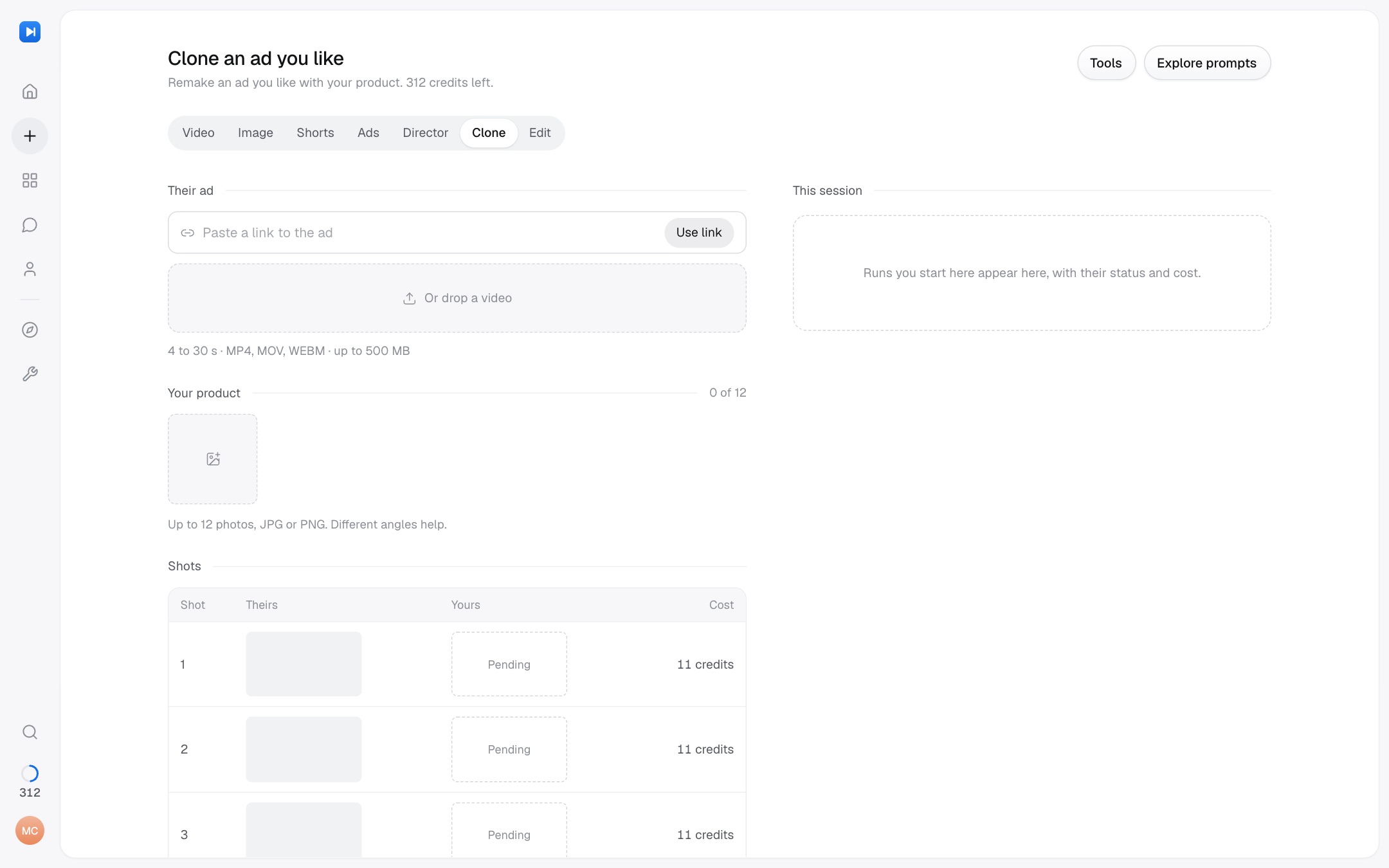
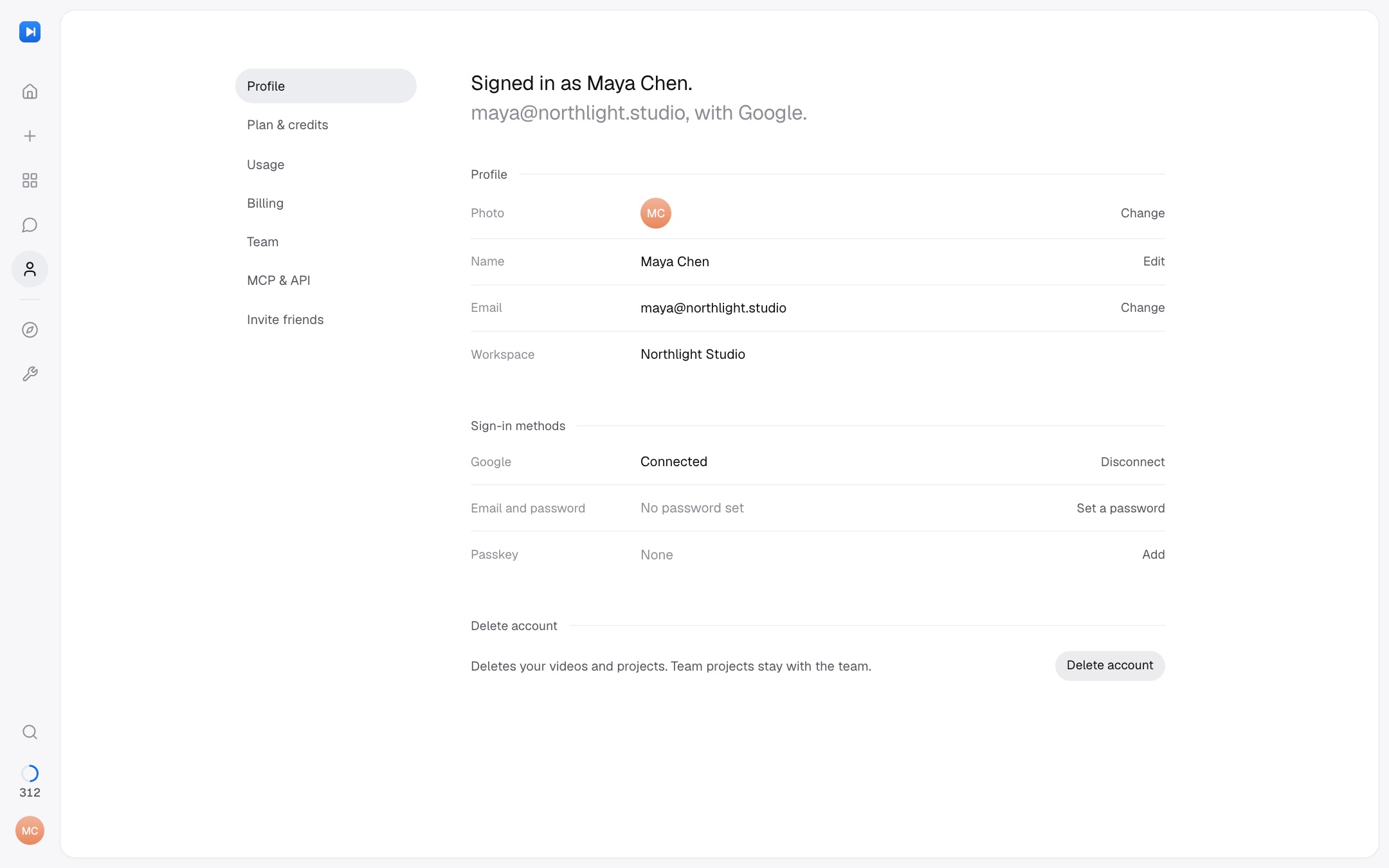
Call Sheet
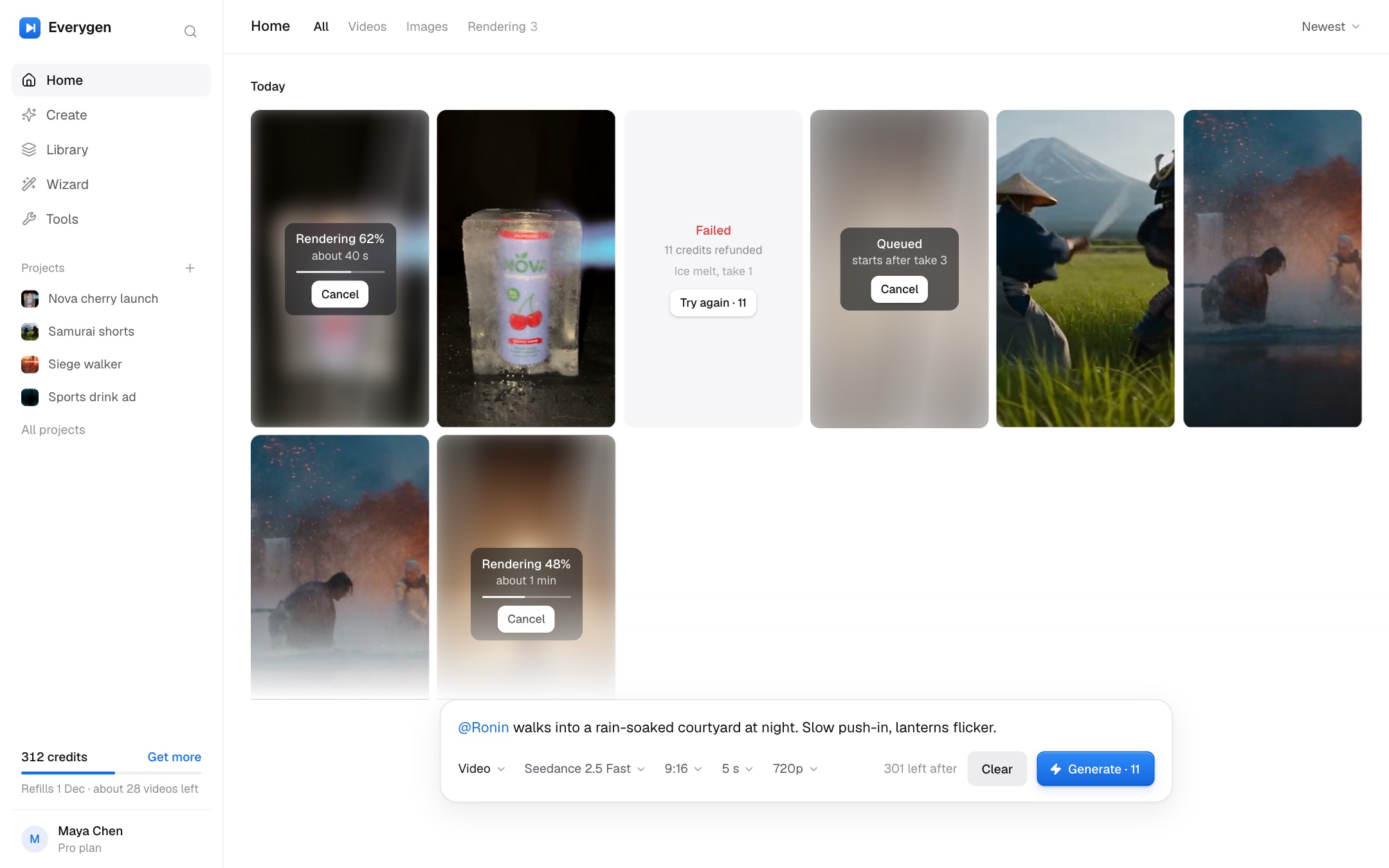
Open Call SheetThe day's status at a glance: a slim rail, an inset page that reads in sentences, and credits handled inside the composer.
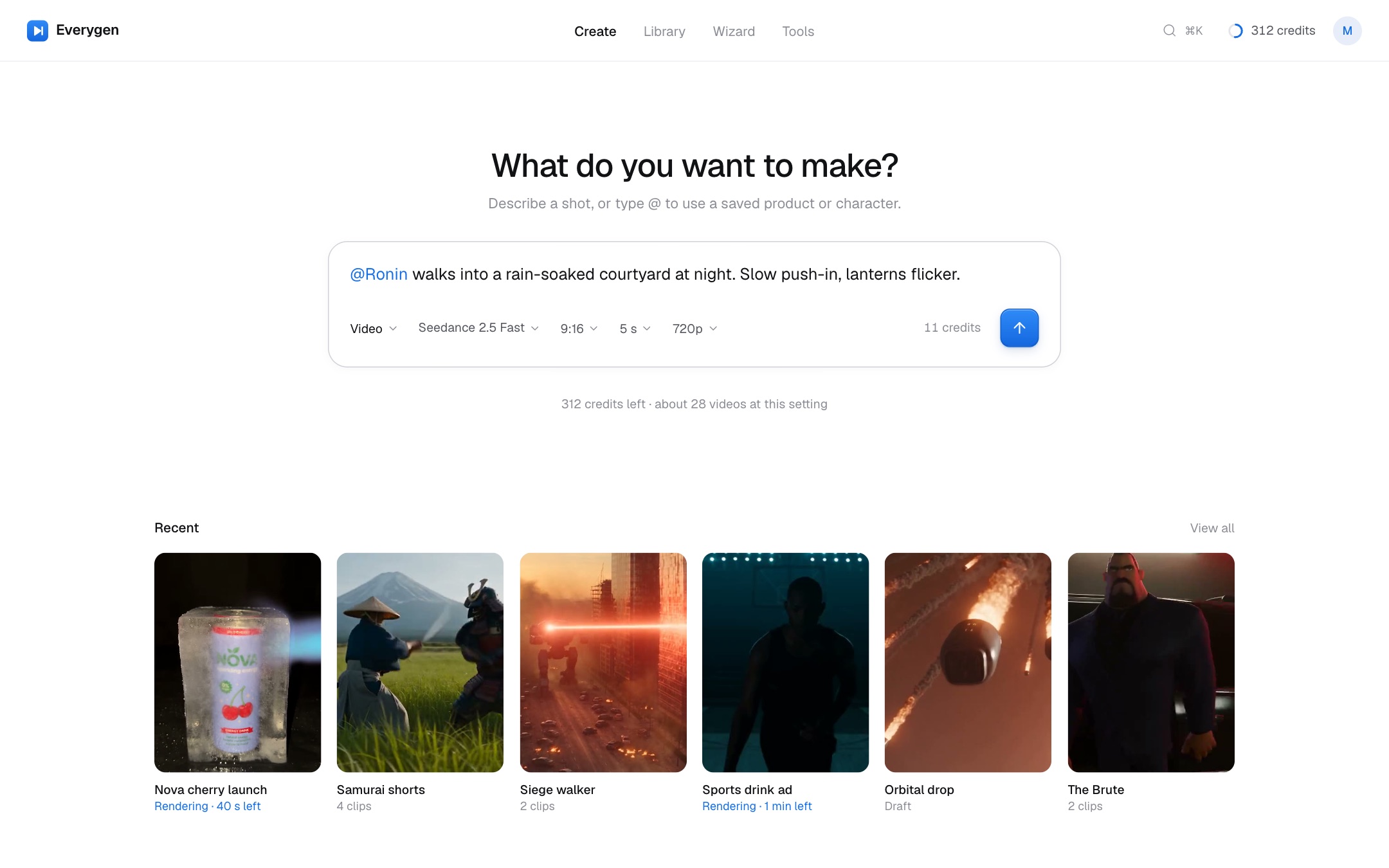
Viewfinder
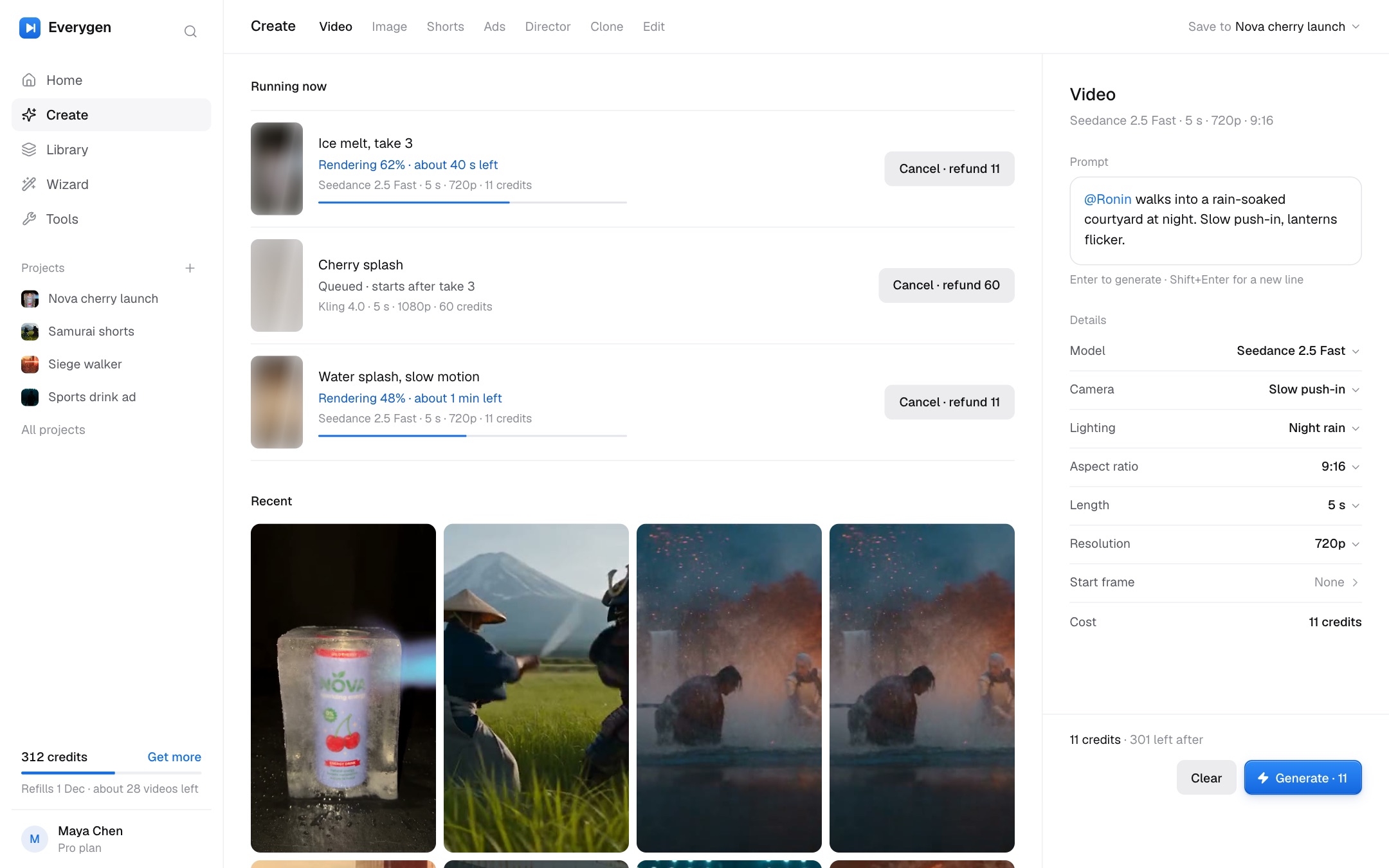
Open ViewfinderOne frame to look through: a top bar, a single centred composer, settings as plain rows. The calmest of the three.
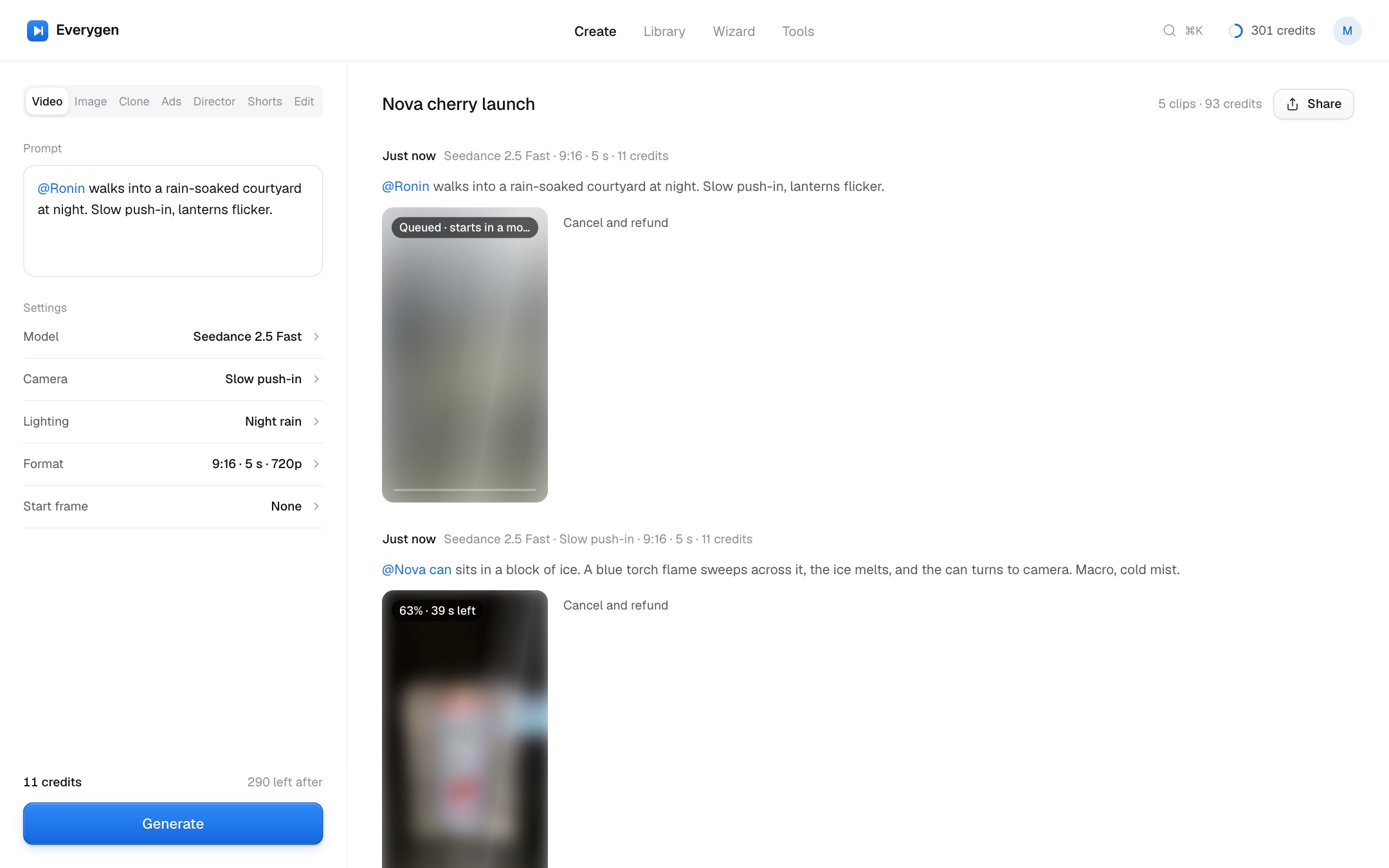
Contact Sheet
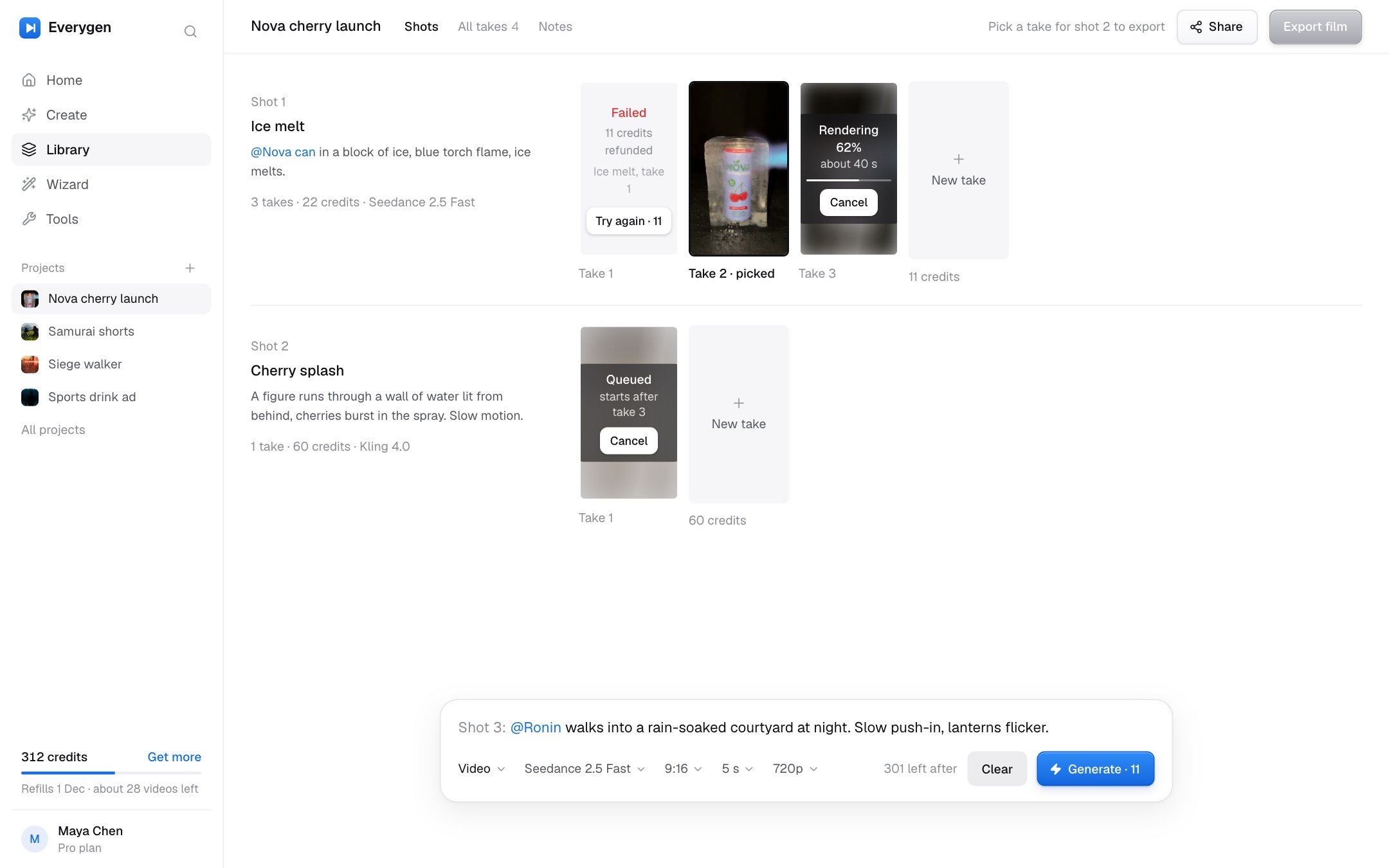
Open Contact SheetEvery frame on one sheet: a flat sidebar with credits at its foot, your work as a gallery, the composer docked below.
How the redesign answers the audit#
Each priority from chapter 04, with the redesign screens that fix it. A screen counts when it lists the priority or one of its findings.
Now · Trust and money
- First runCall SheetViewfinderContact Sheet
- HomeCall SheetViewfinderContact Sheet
- Create · VideoCall SheetViewfinderContact Sheet
- Model pickerCall SheetViewfinderContact Sheet
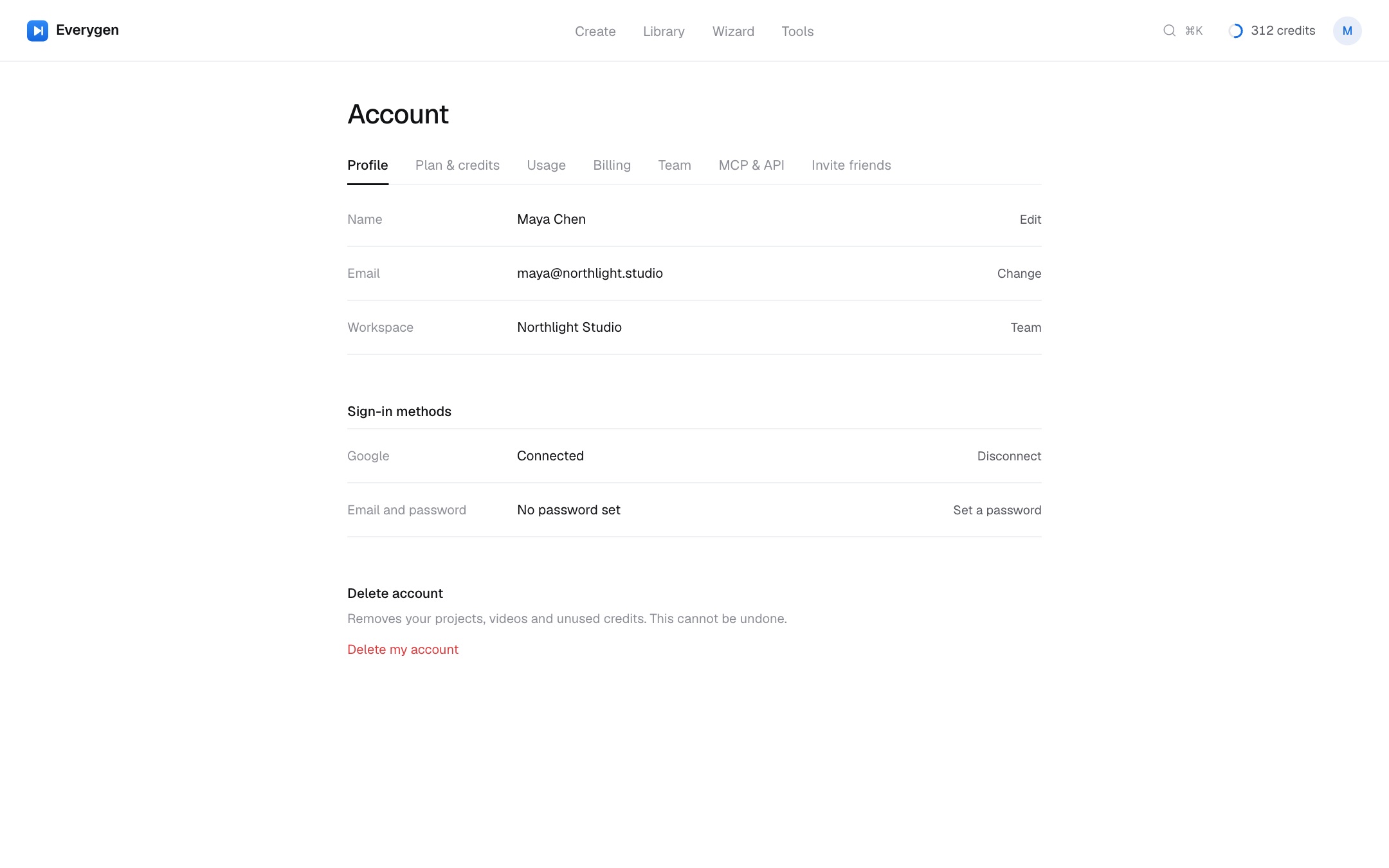
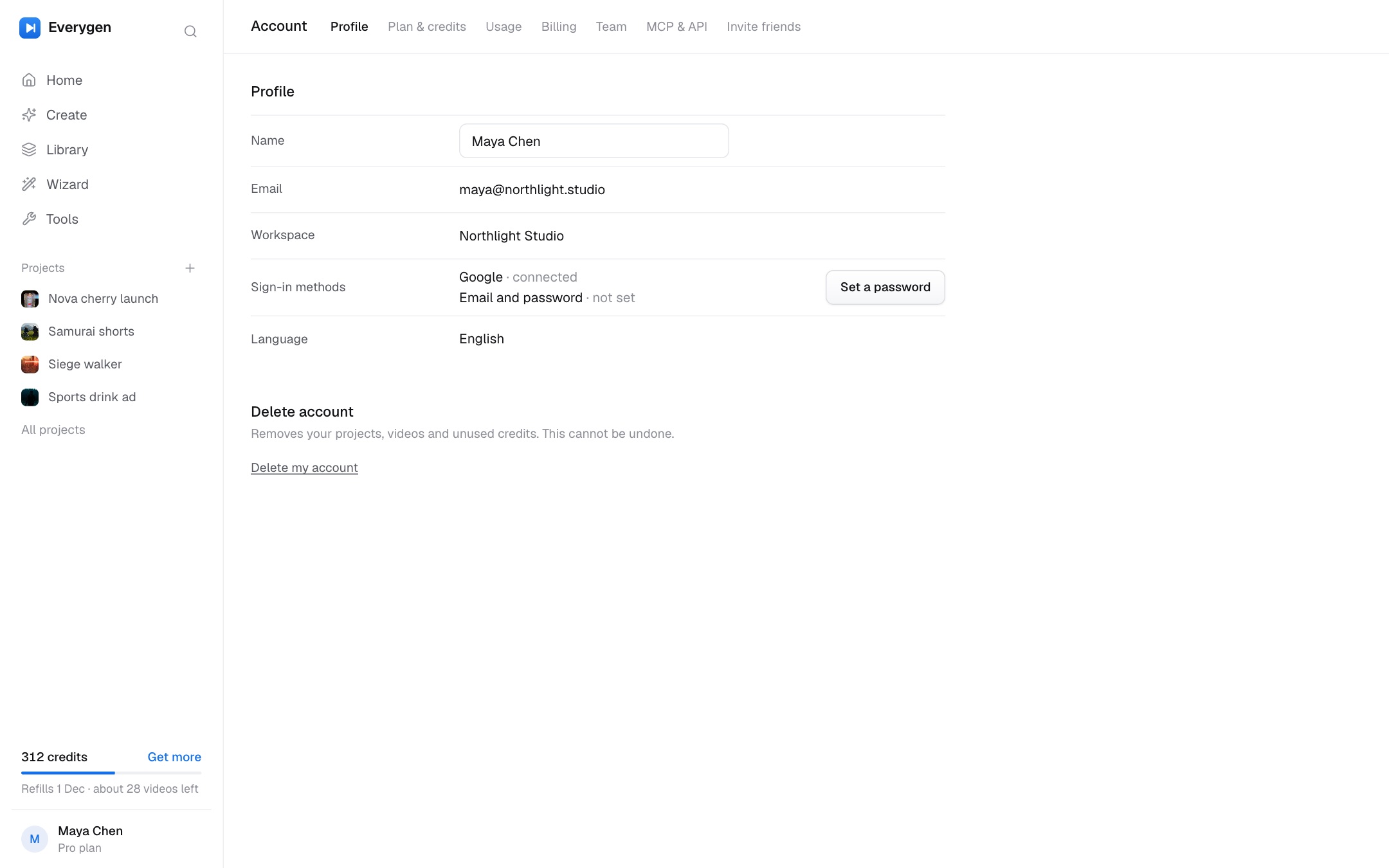
- Account · ProfileCall SheetViewfinderContact Sheet
- Account · Plan & creditsCall SheetViewfinderContact Sheet
- Account · UsageCall SheetViewfinderContact Sheet
- Account · BillingCall SheetViewfinderContact Sheet
- Account · TeamCall SheetViewfinderContact Sheet
- Account · Invite friendsCall SheetViewfinderContact Sheet
- RenderingCall SheetViewfinderContact Sheet
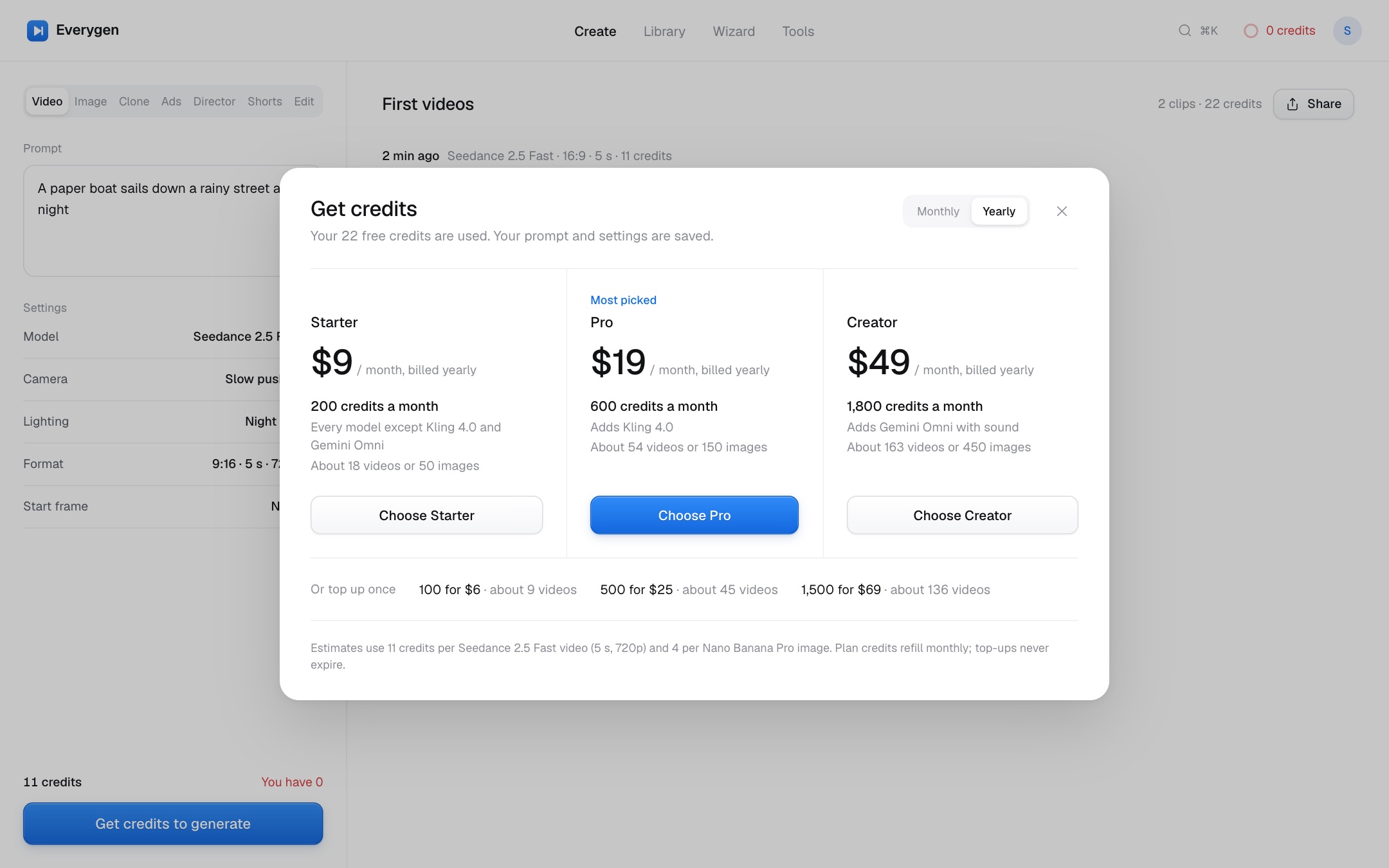
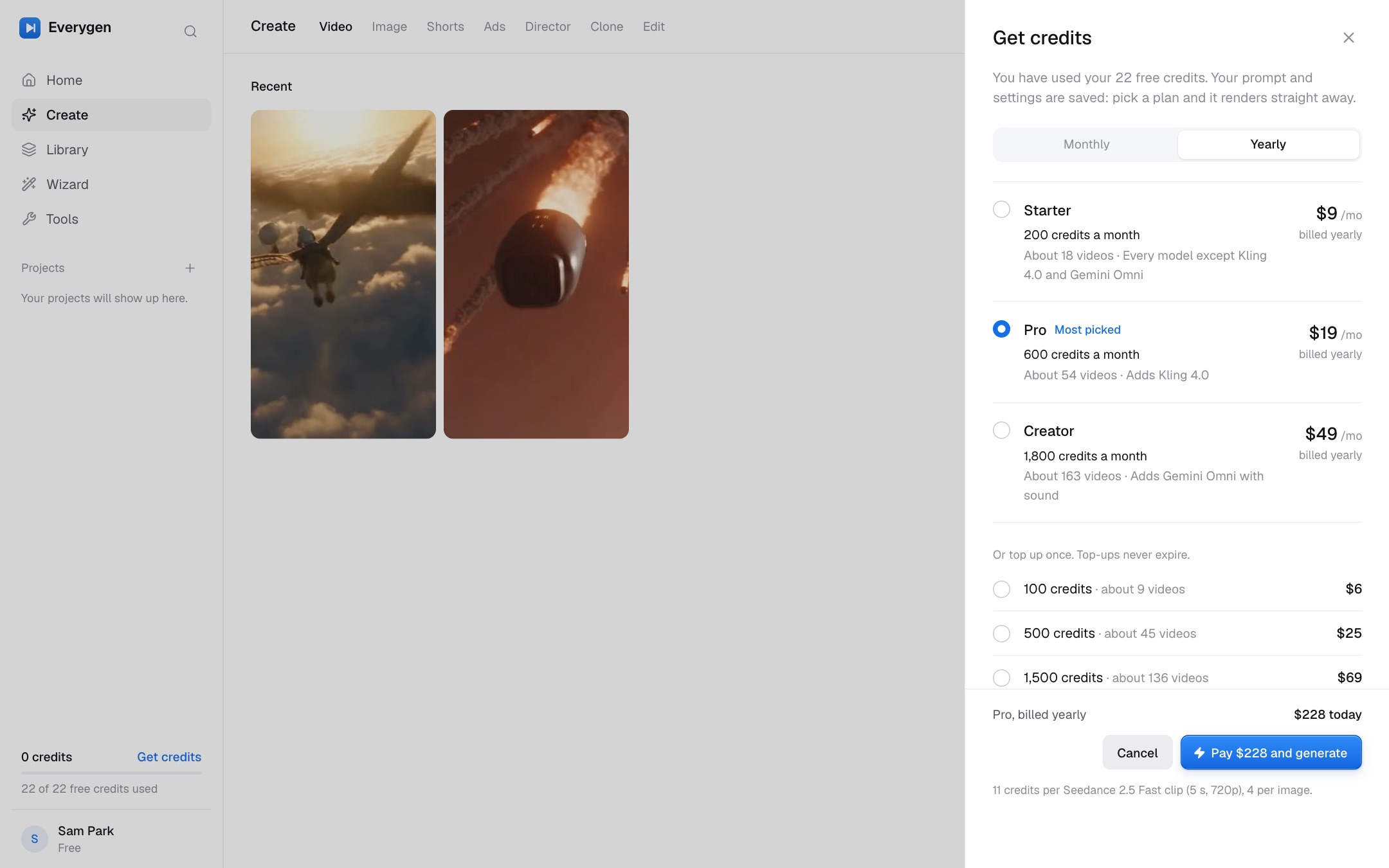
- Out of creditsCall SheetViewfinderContact Sheet
- Back to your videoCall SheetViewfinderContact Sheet
- Library · ProjectsCall SheetViewfinderContact Sheet
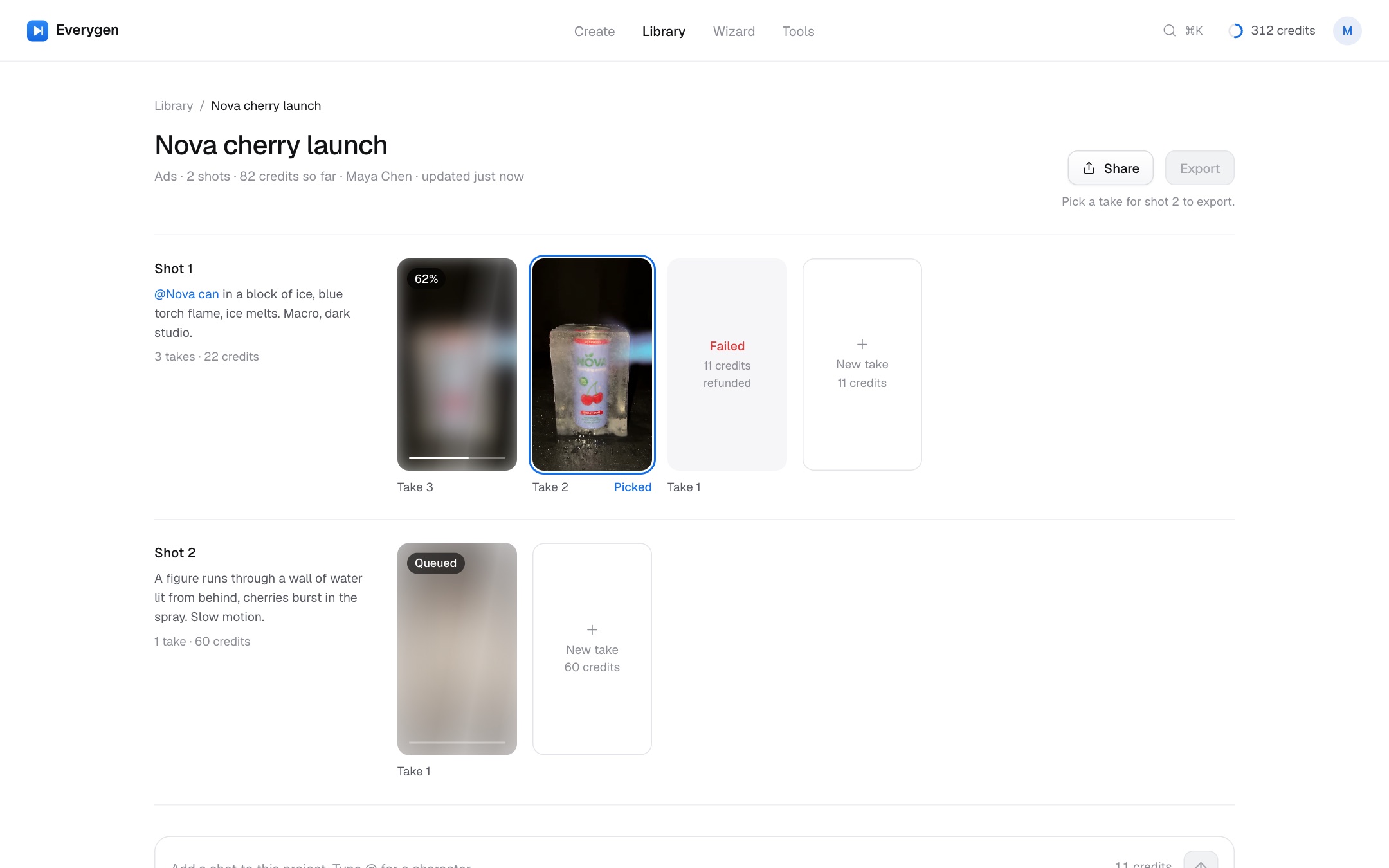
- ProjectCall SheetViewfinderContact Sheet
- ToolsCall SheetViewfinderContact Sheet
- Model pickerCall SheetViewfinderContact Sheet
- Video resultCall SheetViewfinderContact Sheet
- PlansCall SheetViewfinderContact Sheet
- Library · All videosCall SheetViewfinderContact Sheet
- Library · EmptyCall SheetViewfinderContact Sheet
Next · One app, not twenty-five
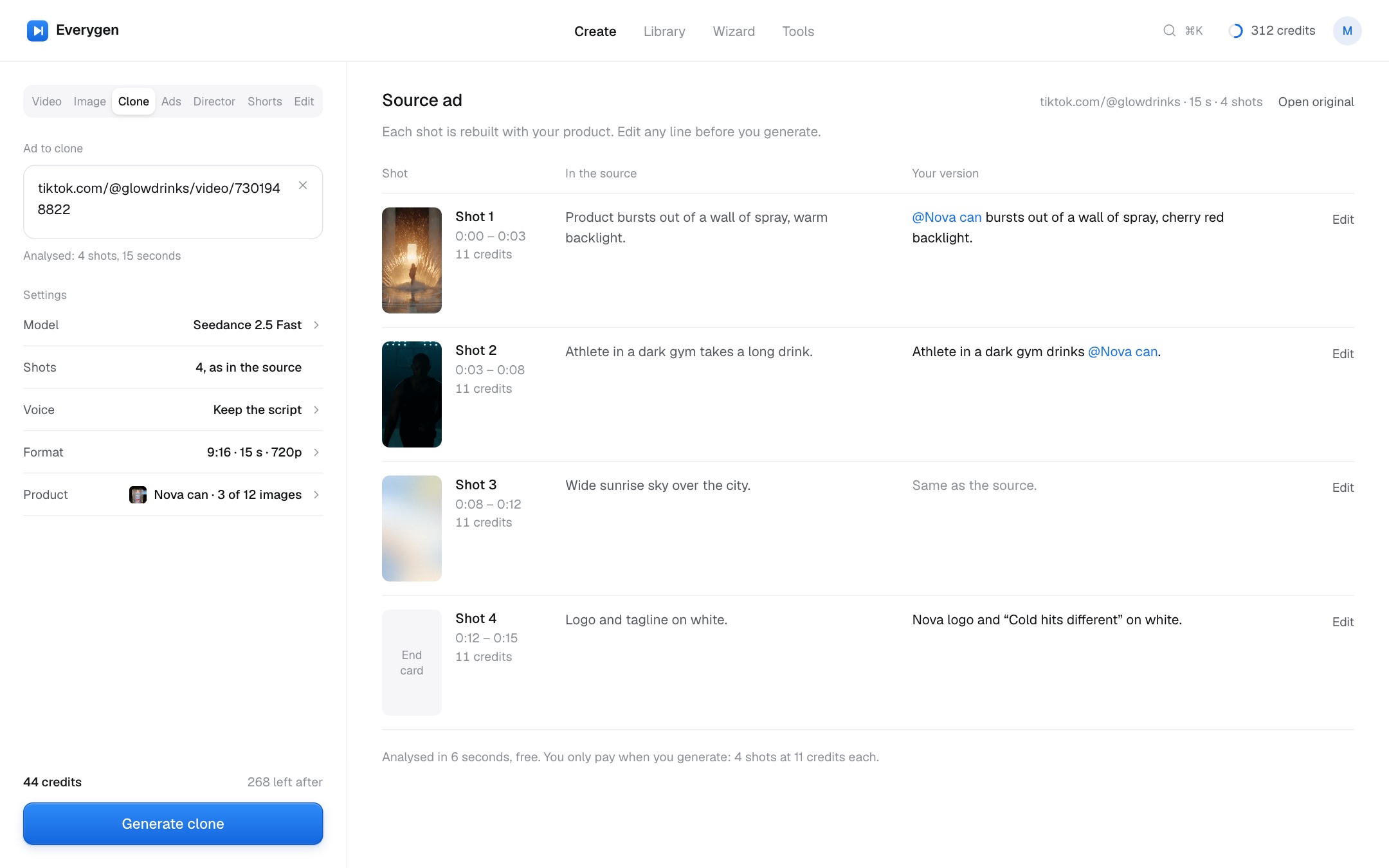
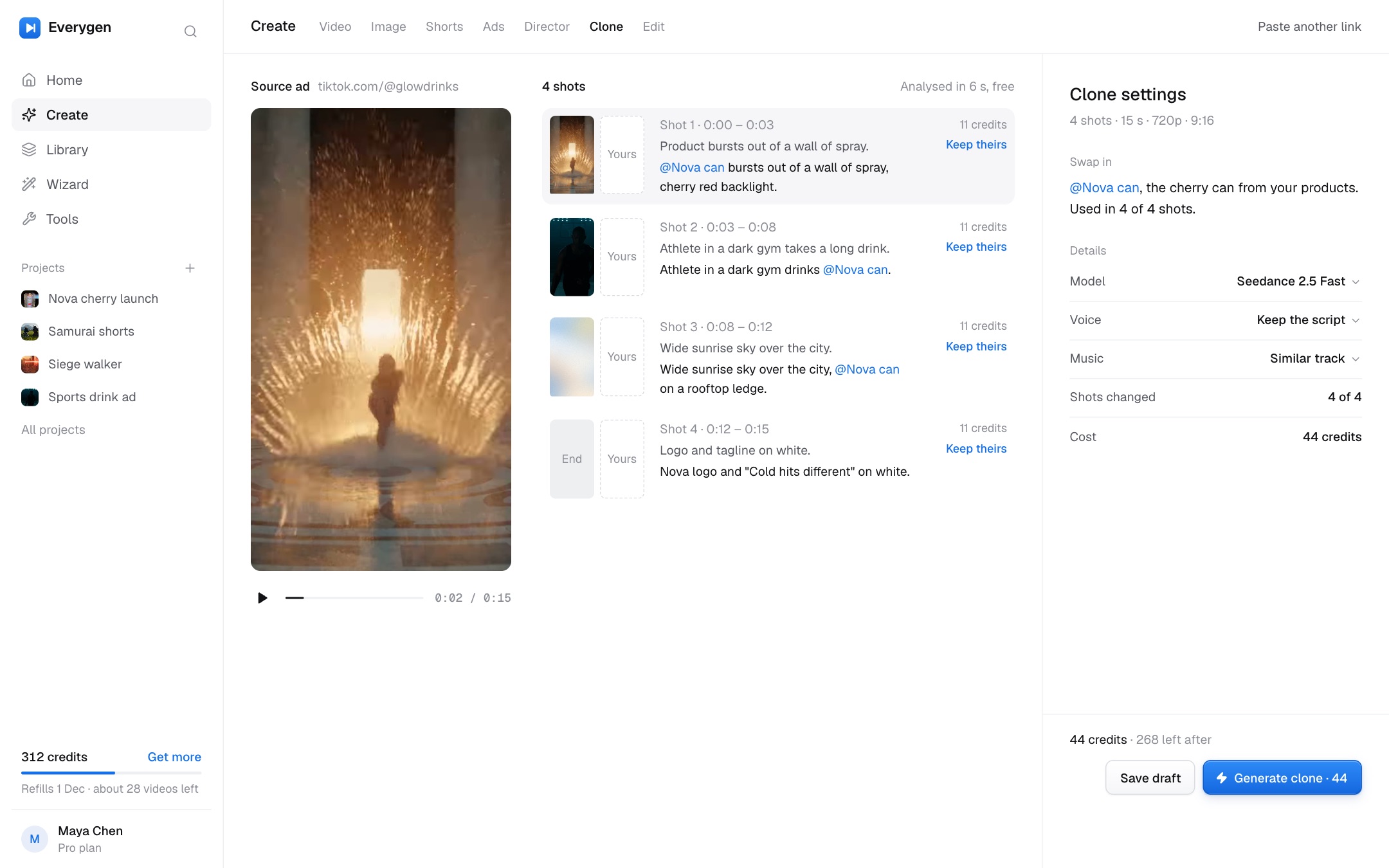
- Create · CloneCall SheetViewfinderContact Sheet
- Wizard · New chatCall SheetViewfinderContact Sheet
- Wizard · Plan and renderCall SheetViewfinderContact Sheet
- Tool · VoiceoverCall SheetViewfinderContact Sheet
- Account · MCP & APICall SheetViewfinderContact Sheet
- Create · VideoCall SheetViewfinderContact Sheet
- Create · ShortsCall SheetViewfinderContact Sheet
- Create · CloneCall SheetViewfinderContact Sheet
- ToolsCall SheetViewfinderContact Sheet
- Library · ProjectsCall SheetViewfinderContact Sheet
- ProjectCall SheetViewfinderContact Sheet
- ToolsCall SheetViewfinderContact Sheet
- Sign upCall SheetViewfinderContact Sheet
- HomeCall SheetViewfinderContact Sheet
- Tool · VoiceoverCall SheetViewfinderContact Sheet
- Account · MCP & APICall SheetViewfinderContact Sheet
- Create · DirectorCall SheetViewfinderContact Sheet
- Library · All videosCall SheetViewfinderContact Sheet
Later · Brand and depth
- Model pickerCall SheetViewfinderContact Sheet
- Create · DirectorCall SheetViewfinderContact Sheet
- Create · CloneCall SheetViewfinderContact Sheet
- PlansCall SheetViewfinderContact Sheet
- ToolsCall SheetViewfinderContact Sheet
- Search everythingCall SheetViewfinderContact Sheet
- Video resultCall SheetViewfinderContact Sheet
- Director · CameraCall SheetViewfinderContact Sheet
- Explore · RecipeCall SheetViewfinderContact Sheet
- Create · DirectorCall SheetViewfinderContact Sheet
Every screen#
All 40 screens by flow, with the findings each one answers. Codes link to the audit.
Start
- Sign upReal output on one side, a short form on the other. Says up front: 22 free credits, 2 videos, no card. Context: 0 creditsA·02Call SheetViewfinderContact Sheet
- What will you make first?One question that picks starter prompts. Skippable. A·01Call SheetViewfinderContact Sheet
- First runSam's first visit: 22 free credits visible, three starters, a ready composer. No marketing. Context: 0 creditsA·01A·03Call SheetViewfinderContact Sheet
Home
- HomeA workspace, not a landing page: what is rendering, what is ready, credits, and the composer. A·01A·02A·03M·01Call SheetViewfinderContact Sheet
- Search everything⌘K finds projects, videos, prompts, tools, chats, models and actions. E·05Later 03Call SheetViewfinderContact Sheet
Create
- Create · VideoOne generator with modes as tabs. Cost in neutral ink next to Generate, with the balance after. B·02B·06B·07C·01Call SheetViewfinderContact Sheet
- Model pickerEvery model with its price, wait and the plan it needs. Locked ones say why. B·03B·02A·05Call SheetViewfinderContact Sheet
- RenderingHonest progress: queued, rendering with a real ETA, cancel with a refund. B·04B·05Call SheetViewfinderContact Sheet
- Video resultPlayer, prompt, every setting and its cost, other takes, download, re-run, extend. E·02B·08Call SheetViewfinderContact Sheet
- Create · ImageSame composer, image models, four results. Clearly a different mode. B·07Call SheetViewfinderContact Sheet
- Create · ShortsTemplate first: pick a format, the model and cost are shown. C·01B·06Call SheetViewfinderContact Sheet
- Create · AdsThe six brief slots kept, Product/App toggle moved into the Product slot. C·02Call SheetViewfinderContact Sheet
- Ads · Add your productOne field: paste a link or drop a photo. No 70% empty modal. C·03Call SheetViewfinderContact Sheet
- Ads · Avatar pickerHeading, search, filters, voice preview. Nothing selected until you pick. C·04Call SheetViewfinderContact Sheet
- Create · DirectorReferences, film setup, camera, palette and lighting. Posters, not 94 autoplaying videos. C·05PM·03Call SheetViewfinderContact Sheet
- Director · CameraLive preview kept, one selected state, 12 px labels. C·06Call SheetViewfinderContact Sheet
- Create · ClonePaste a link or drop a file, limits stated, shot table: theirs vs yours. No layout shift. C·07C·08D·01Call SheetViewfinderContact Sheet
- Create · EditYour video first: drag, formats, limits, cost estimate. Examples come second. D·02D·03D·04Call SheetViewfinderContact Sheet
Credits
- Out of creditsChecked before Generate, never after a fake render. The prompt stays. B·04B·05Now 02Call SheetViewfinderContact Sheet
- PlansOne price table: same credit maths, the real model names, only the real differences. A·05B·08Now 05Call SheetViewfinderContact Sheet
- Back to your videoAfter paying, the kept prompt renders straight away. B·05Call SheetViewfinderContact Sheet
Wizard
- Wizard · New chatInside the same shell. Approval mode named for what it does, Smart says what it costs. B·01E·06Call SheetViewfinderContact Sheet
- Wizard · Plan and renderA plan with per-shot cost, asks before spending, results appear in place. B·01Call SheetViewfinderContact Sheet
Library
- Library · ProjectsMy projects finally lead somewhere: every project with status and cost. E·08Next 03Call SheetViewfinderContact Sheet
- Library · All videosEvery generation with filters by status, model and mode. Posters, play on hover. B·08PCall SheetViewfinderContact Sheet
- Library · Products & charactersThe @ things you reuse in prompts. C·03Call SheetViewfinderContact Sheet
- ProjectShots in order, takes side by side, the picked take marked, export. E·08Next 03Call SheetViewfinderContact Sheet
- Library · EmptyA new account's library teaches the next step. B·08Call SheetViewfinderContact Sheet
Tools & explore
- ToolsGrouped by job, one icon set, no colour per tool, no dead links. D·01D·11E·08Call SheetViewfinderContact Sheet
- Tool · VoiceoverInside the app shell, cost before you start, no SEO copy. D·05D·06D·07Call SheetViewfinderContact Sheet
- Tool · Auto captionsOne upload rule, an estimate before upload. D·07D·09D·10Call SheetViewfinderContact Sheet
- ExploreReal prompts behind real outputs, with search and filters by mode, model and cost. E·01Call SheetViewfinderContact Sheet
- Explore · RecipeThe full recipe: prompt, model, settings, length, cost. Recreate fills the composer. E·02Call SheetViewfinderContact Sheet
Account
- Account · ProfileProfile, email, sign-in methods. A·04Call SheetViewfinderContact Sheet
- Account · Plan & creditsThe balance by source, refill date, change plan, top up. One upgrade action, not three. A·03A·04M·04Call SheetViewfinderContact Sheet
- Account · UsageCredits per day, by model, by project, and every debit and refund. A·04Call SheetViewfinderContact Sheet
- Account · BillingInvoices and payment method. A·04Call SheetViewfinderContact Sheet
- Account · TeamMembers, roles, one shared credit pool, invite. A·04Call SheetViewfinderContact Sheet
- Account · MCP & APIConnect Claude, ChatGPT or Cursor; API keys. A settings page, not a landing page. E·04Call SheetViewfinderContact Sheet
- Account · Invite friendsInvite a friend, both get 100 credits. A·03Call SheetViewfinderContact Sheet